A Window-Side Desk: Placing a Monitor for Fewer Reflections
Window-side desk monitor placement can keep reflected light from competing with your work. Use brief observations to adjust the screen, seat, and window covering.
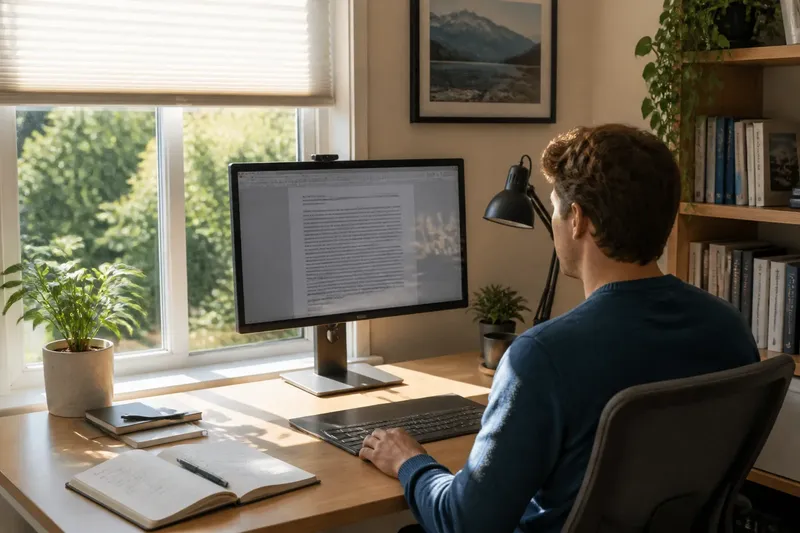
You open a document at a window-side desk and find a bright patch lying across the text. Window-side desk monitor placement is easier to judge over several ordinary work sessions than in one furniture-moving burst: the sun shifts, and so does the light entering the room.
Rather than trying to compare screen surfaces or change display settings first, identify which room conditions make the image hard to read. Then adjust the screen, seat, or window covering one at a time, keeping your posture comfortable and noting the visible result.
First-week observations
Use the first week as a series of brief checks, not a single rearrangement. On the first day, keep everything in place. At the times you normally work, note where the bright area appears, whether it resembles a window, lamp, or pale wall, and whether it changes when you shift your head slightly. The aim is to identify a troublesome moment and source, not to keep a detailed log.
On the second day, adjust the window covering while leaving the monitor and chair where they are. Try a blind or curtain position that softens the bright area without making the room unpleasantly dim. If the reflection fades, keep that position for the next check; if it remains, return the covering to a comfortable setting and try a different variable.
On the third day, turn the monitor a little while keeping your seat and posture natural. Check whether the reflection moves away from the part of the screen you use most. If the new angle makes you turn your head or shoulders, undo it and consider a chair or desk adjustment instead.
On the fourth day, test a small chair shift, or turn the chair slightly if the desk allows. Keep the screen in front of you. If the reflected scene becomes less distracting without making the display awkward to view, try that position in a regular work session; otherwise, restore the comfortable seat position.
On the fifth day, revisit the adjustment that seemed most useful at the time when the reflection was strongest. If the problem has moved to a different part of the screen, make only a small additional change. If the screen is clearer but your posture is strained, treat that as a sign to reverse the adjustment and use a different one.
On the sixth day, check the setup under a different kind of daylight, such as a bright overcast period or later afternoon, if those conditions occur during your week. On the seventh, keep the most comfortable arrangement and make a short note of it, such as “blind partly lowered, monitor turned slightly toward the bookcase.” If the light varies too much for one setting, note when a temporary change helps.
Change one thing at a time, and judge it during the task and light that caused the problem.
Screen and seat positions
A monitor’s direction affects which parts of the room appear on its surface; your seat affects the angle from which you see the screen. Start by placing the display in front of you and sitting in a relaxed, neutral position. Then try a modest screen turn that puts the window to one side rather than directly in front of or behind the display.
There is no single angle that suits every room. A window may be shaded, a nearby glass door may be bright, or a pale wall may reflect daylight toward the screen. If turning the monitor makes the bright area move rather than disappear, look for another light source along the screen’s new line of sight. Do not solve a reflection by adopting a twisted posture.
Say your desk sits beside a window facing a bright courtyard, and the courtyard appears near the center of the screen in the afternoon. Turn the desk a little so the window is beside you, then shift the chair to face the display without twisting. If the reflected courtyard moves to the screen edge, the change may be useful; if it remains central or the new position strains your shoulders, restore the desk and try adjusting the blind instead.
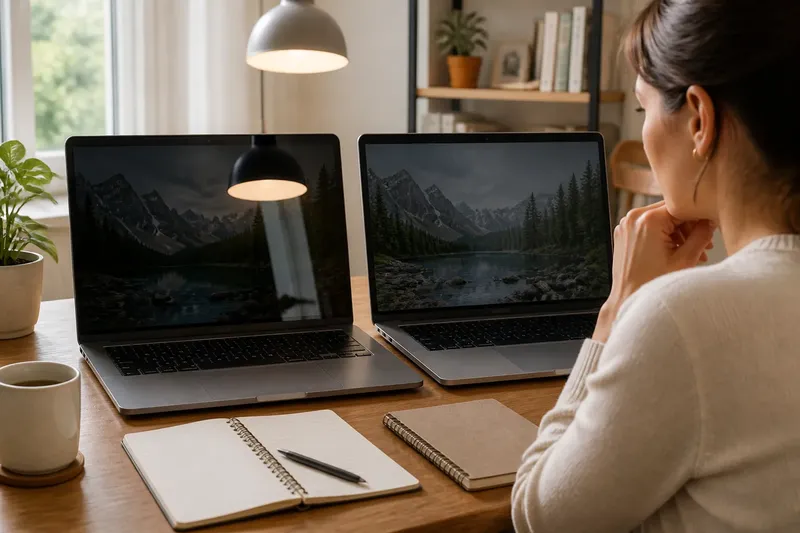
For a laptop and an external monitor, consider each screen separately. The laptop lid and monitor may reflect different parts of the room. Position the screen used for close reading comfortably in front of you, then place the other where you can glance at it without repeatedly turning your torso.
Light from the window
Blinds and curtains change how much daylight enters and where it falls. A sheer curtain can soften a sharp beam; an adjustable blind can redirect light. Try a small covering change during the troublesome period, then check both the screen and the room. If the bright patch diminishes while the room stays comfortable, keep the setting for that period; if the room becomes too dim or the patch persists, restore the covering and test another adjustment.
Once the window is less distracting, check for other bright sources. A desk lamp, pale wall, or glass picture frame may become more noticeable. If a lamp reflects in the panel, move it so it lights the work surface without shining toward the screen. Make that change separately so you can tell whether it helped.
Room light and monitor position address different parts of the problem. A covering softens incoming daylight; a monitor turn changes the reflected view. When neither is comfortable on its own, use a mild adjustment to each rather than making one dramatic change.
Which adjustment fits?
Should the monitor face the window?
A bright window directly in front of the display can make its reflection compete with the image. Try putting the window to one side, then check the screen from your usual seated position.
Is a side-facing window always better?
Not always: nearby glass or a bright wall may still reflect light, and the sun’s path changes during the day. Judge the position under the conditions that cause trouble, and keep it only if it remains comfortable.
Should I close the curtains?
Not necessarily. Try a partial adjustment that softens the bright area while leaving enough daylight for the room; if the space becomes uncomfortably dim, reopen the covering and consider turning the monitor instead.
What if the reflection shifts?
A shifted bright area means the view changed, but it does not by itself mean the screen is easier to use. If the reflection moves away from your working area, check it during a normal task; if it lands somewhere equally distracting, reverse the turn or try another light source adjustment.
Small adjustment decisions
Use these checks to choose the next change. Each item ties an observation to a decision, so you can avoid changing several parts of the setup at once.
- Check whether a bright window shape crosses the text; if it does, then partly lower the blind or turn the monitor slightly, and if it does not, leave the window setting alone.
- Check whether the reflection changes when you move your head a little; if it does, then test a small screen turn, and if it does not, look for a strong room light or bright surface instead.
- Check whether a chair shift reduces the reflection while your shoulders stay relaxed; if it does, then keep the shift for a work session, and if it does not, return to your original seat and adjust the screen or covering.
- Check whether a lamp appears in the display after daylight is softened; if it does, then move the lamp to light the desk from another direction, and if it does not, leave the lamp in place.
- Check whether the display is easier to read but your neck or shoulders feel strained; if they do, then undo the posture change and try moving the desk or screen, and if they do not, keep the comfortable position for another check.
- Check whether glare returns only during a particular part of the day; if it does, then note a temporary blind or monitor adjustment for that period, and if it does not, keep the more stable room arrangement.
When daylight changes
A setup that works in one part of the day may not suit another. Sunlight shifts across a room, and seasonal changes can alter where it reaches. If a reflection returns, check the display at the troublesome time before moving the furniture again. A blind adjustment may address a bright beam; a small screen turn may move a reflected view; a chair shift may help only if it preserves a natural posture.
Keep a plain reminder of the arrangement that works, including when it helps: “window on left, monitor angled toward bookcase, blind lowered during afternoon sun.” If someone else uses the room, the note can also make it easier to restore the setup.
Window-side desk monitor placement is best treated as a flexible arrangement, not a permanent answer. Keep the position easy to reverse, and check it again when daylight or the room changes; a small, comfortable adjustment at the troublesome time is more useful than a fixed angle that forces you to work around it.