Glossy or Matte: What the Surface Changes
Glossy or matte screen finishes shape reflections and perceived detail. Learn how to compare them for your viewing habits and choose a surface that suits your needs.
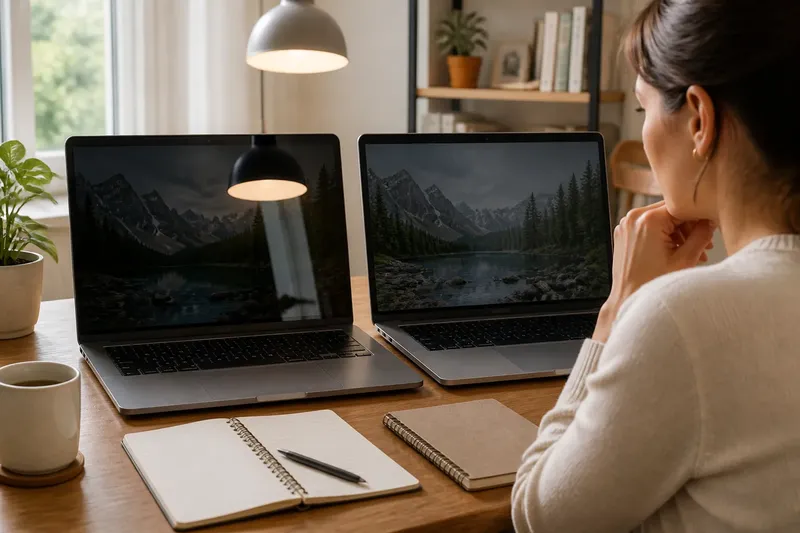
You open a dark scene on a laptop, and the screen briefly becomes a mirror: a lamp sits over the picture, while a matte display makes the same lamp look like a diffuse patch. Glossy or matte screen finishes do not alter the image file; they change how the display surface handles light on its way to your eyes.
Neither finish is simply better. The distinction is how each surface presents reflections and fine detail, and how noticeable those effects are during your usual viewing. Understanding that distinction makes it easier to choose a screen for reading, watching or working with images.
How surfaces reflect
A screen emits light from its pixels, but light from the room also reaches its front surface. A smooth glossy coating tends to preserve the shape of reflected objects. A lamp may appear as a distinct spot, while a bright window can look like a pale rectangle.
A matte coating has a subtly textured surface that scatters incoming light over a broader area. The reflection becomes less recognizable, but it does not disappear. Instead of a clear image of a lamp, you may notice a soft haze across part of the display.
The practical difference is the character of the reflection: glossy tends to show its outline, while matte tends to spread it. Neither surface blocks the room’s light entirely.
Perceived image detail
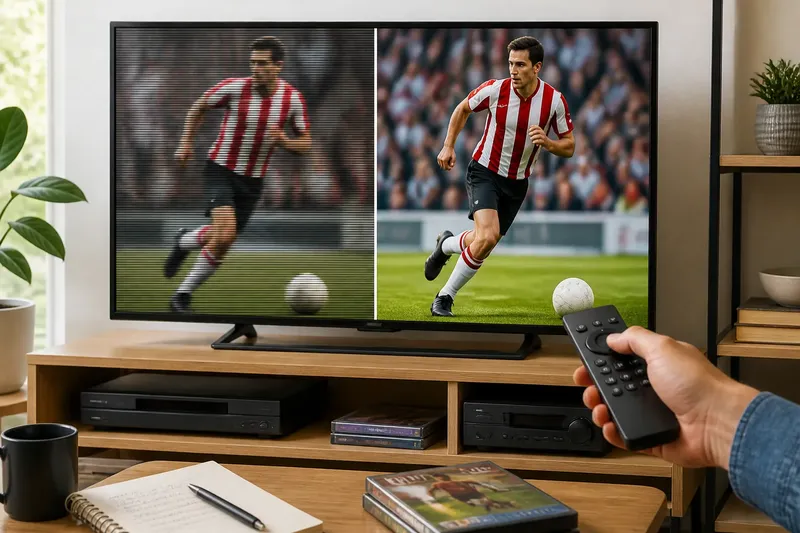
A glossy surface can make edges and small details seem direct and crisp, especially when reflections are faint. Text may look cleanly outlined, and high-contrast images can appear vivid. That impression comes from how light reaches your eyes, not from extra resolution or image information.
Matte coatings scatter some light from the pixels along with light from the room. Depending on the coating and conditions, fine text, thin lines or smooth gradients may look a little softer. The effect varies among displays, so the word “matte” alone does not tell you exactly how a particular screen will look.
When judging detail, use the same text and image on both screens. A glossy display may look sharper in a reflection-free view, while a matte display may be easier to follow if a distinct reflection crosses the content. Perceived clarity includes both edge definition and the ease of seeing the image.
Light and viewing habits
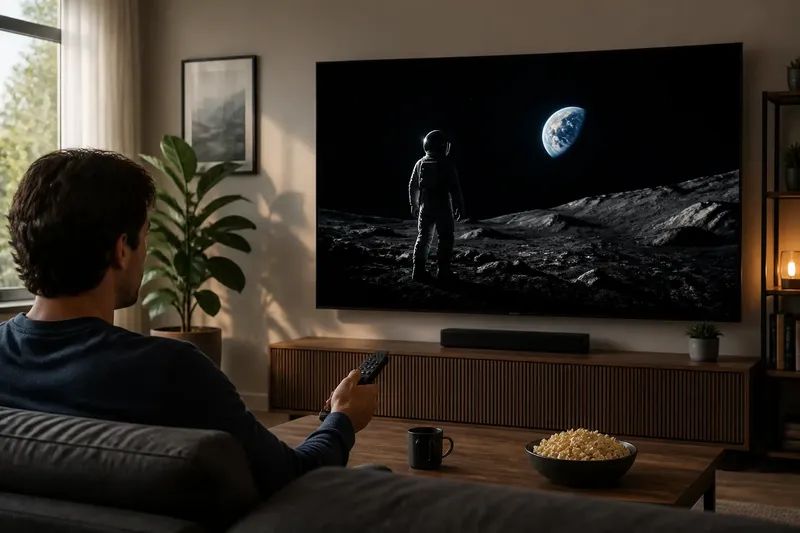
Consider the kinds of light that commonly appear in your viewing space, rather than relying on the broad label “bright room.” A small, sharp reflection may be distracting during a dark film scene, while a diffuse veil can make a pale document look less distinct. The surface changes how the interference appears; it does not remove the underlying light.
Use also matters. A laptop that moves among rooms encounters different light sources and backgrounds, while a monitor used for one regular task can be judged against that particular setting. For text-heavy work, inspect letters and thin interface lines. For films, pay attention to dark scenes, where reflected light may be especially easy to notice.
Say you read recipes on a glossy laptop beside a pendant lamp, and its reflection lands over the ingredient list. You keep the same laptop and page, then compare a matte model with the text at the same comfortable brightness. If the lamp becomes a softer patch and the words are easier to follow, the matte surface may suit that task; if the patch remains distracting or the text looks too soft to you, the comparison points the other way.
Questions about finishes?
Does matte remove glare?
No. Matte scatters reflected light rather than blocking it, so the image can still look hazy or washed out. It changes a reflection’s appearance, not its existence.
Does glossy always look sharper?
No. Glossy can look crisp when reflections are unobtrusive, but a distinct reflection can cover details. Compare actual text and images under conditions like the ones in which you usually view the screen.
Which finish suits dark scenes?
Either can work, depending on the light reaching the screen and your preference for sharp reflections or diffuse haze. Check a dark image and notice whether the surface distracts from details in shadow.
Can you change a screen’s finish?
The built-in surface is part of the display, so changing it usually means choosing another screen. A removable film may alter reflections, but it can also affect clarity, touch response or the panel’s appearance.
Comparing screens fairly
Store lighting can exaggerate or disguise a surface effect. Ceiling fixtures may form distinct shapes on glossy panels, while bright retail lighting can make diffuse haze on matte screens more apparent. Treat a quick glance under unfamiliar conditions as limited evidence.
For a useful comparison, show the same content on each display and set each to a comfortable brightness. Check a white page with ordinary text, a dark scene and an image with middle tones. Look for sharp reflected shapes as well as broad haze, and note whether fine details remain easy to see.
- If the same text looks crisp and reflections stay outside the words, then glossy may suit your reading; if a reflected shape crosses the text, compare matte before deciding.
- If a matte screen makes thin lines or small letters look too soft, then consider glossy in conditions with unobtrusive reflections; if the detail remains comfortable, matte stays in contention.
- If a dark scene shows a distinct reflected lamp on glossy, then consider matte for that viewing space; if the reflection does not interfere with the picture, glossy may remain suitable.
- If a matte display shows a broad haze across pale content, then compare glossy under the same conditions; if the haze is minor, judge the screen by your ordinary content as well.
- If a laptop will move among rooms with different lighting, then prioritize the finish that remains comfortable across those settings; if it will stay in one place, compare it under that regular viewing condition.
- If removable film is under consideration, then check its effect on clarity and touch response before relying on it; if either changes in an unwelcome way, use the display without the film or choose another screen.
Keep the comparison focused on the surface, not on unrelated differences between display models. Screens can vary in panel, brightness and image settings, so a difference in vividness does not necessarily come from glossy or matte treatment alone.
Choosing a surface
Choose glossy if you prefer a direct-looking image and reflections are not a recurring distraction. Choose matte if distinct reflections bother you and a more diffuse appearance is acceptable. Coatings differ, so inspect the specific screen rather than assuming every product with the same finish will look alike.
The useful search for glossy or matte screen finishes ends with a concrete question: are you more bothered by a defined reflection or by a softer veil? Compare the same text and dark image on the displays you are considering. That small, focused comparison can clarify which surface better fits the way you actually use a screen.